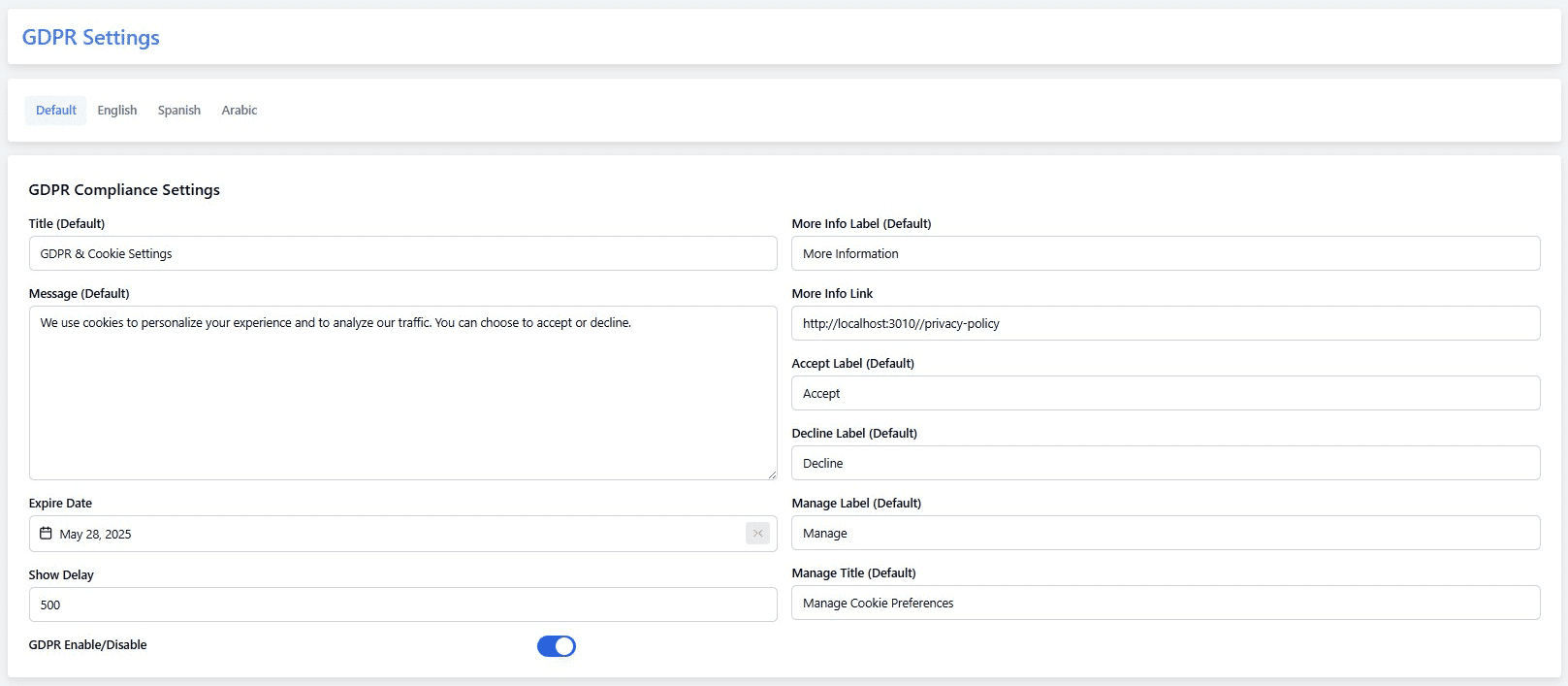
The GDPR Settings section allows you to manage user data privacy features in compliance with the General Data Protection Regulation (GDPR).
To configure:
- Go to Admin Panel → System management → GDPR Settings
- Enable or disable GDPR compliance options:
- Customer Data Access Request
- Account Deletion Request
- Cookie Consent Banner
- Customize the privacy message shown to users
- Click Save Changes to apply settings
Enabling GDPR ensures transparency and gives users control over their personal data.